
Enter once
Use the same age, sex, and measurements across relevant growth indicators and additional calculations.
Pediatric growth calculator app
Enter pediatric measurements, review validation checks, and see applicable WHO growth results in a structured iPhone and iPad workflow. Save profiles when you need to follow growth across visits.

Free to download · Optional in-app purchases · iPhone & iPad
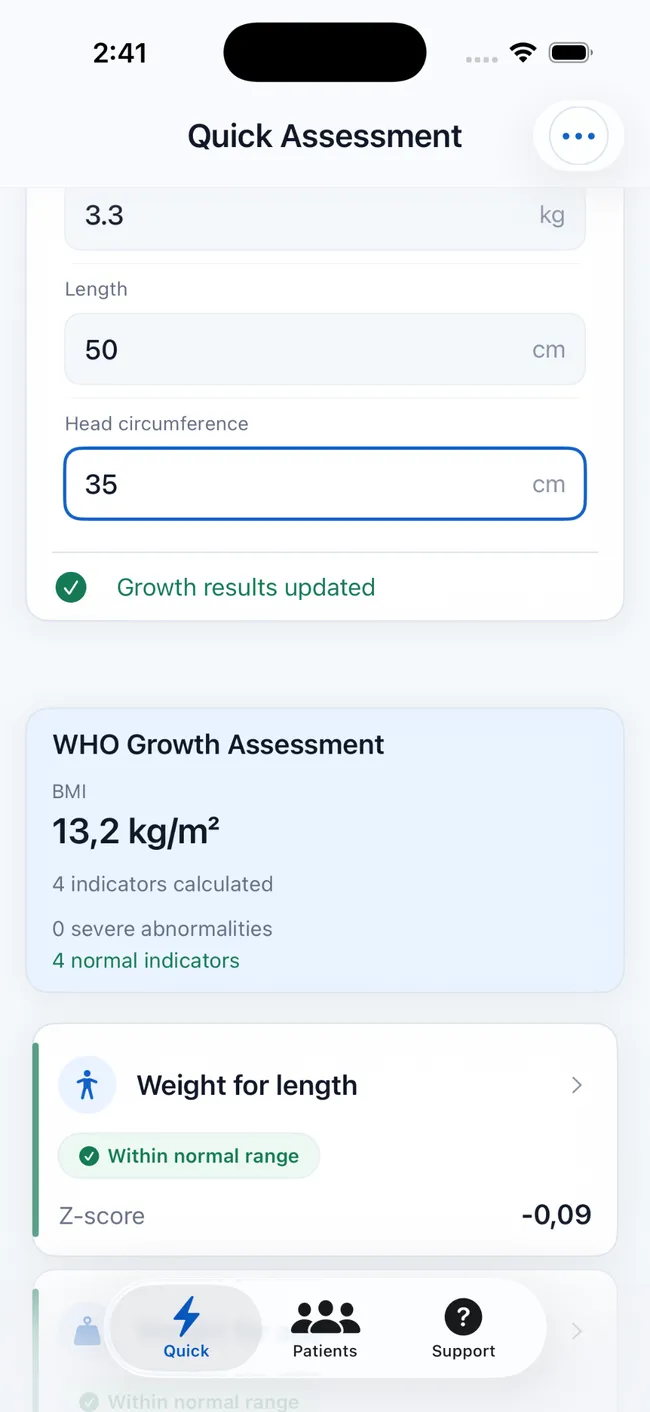
Use the same age, sex, and measurements across relevant growth indicators and additional calculations.
Review warnings for unlikely measurements or possible unit-entry mistakes.
Save measurements locally and return to the patient's chart at the next visit.
What it calculates
The most useful indicator depends on the child's age, available measurements, and the question being considered. PediaMetrics applies the relevant WHO reference and displays the results that can be calculated from the information entered.
Places weight in relation to age using the applicable WHO reference.
Places recumbent length or standing height in relation to age.
Relates weight to body length or height rather than to age alone.
Interprets calculated body mass index relative to age and sex.
Provides an age-eligible head-circumference result where supported.
Keeps body metrics and maintenance-fluid estimates beside the growth assessment.
More than a result
The workflow gives measurement quality, the result, and the longitudinal context distinct roles.
Age-based validation can flag an unlikely entry or a possible unit mistake before results are used.
See the numerical outputs and a structured classification together rather than translating a chart by hand.
Save measurements to review movement across visits instead of treating every calculation as isolated.
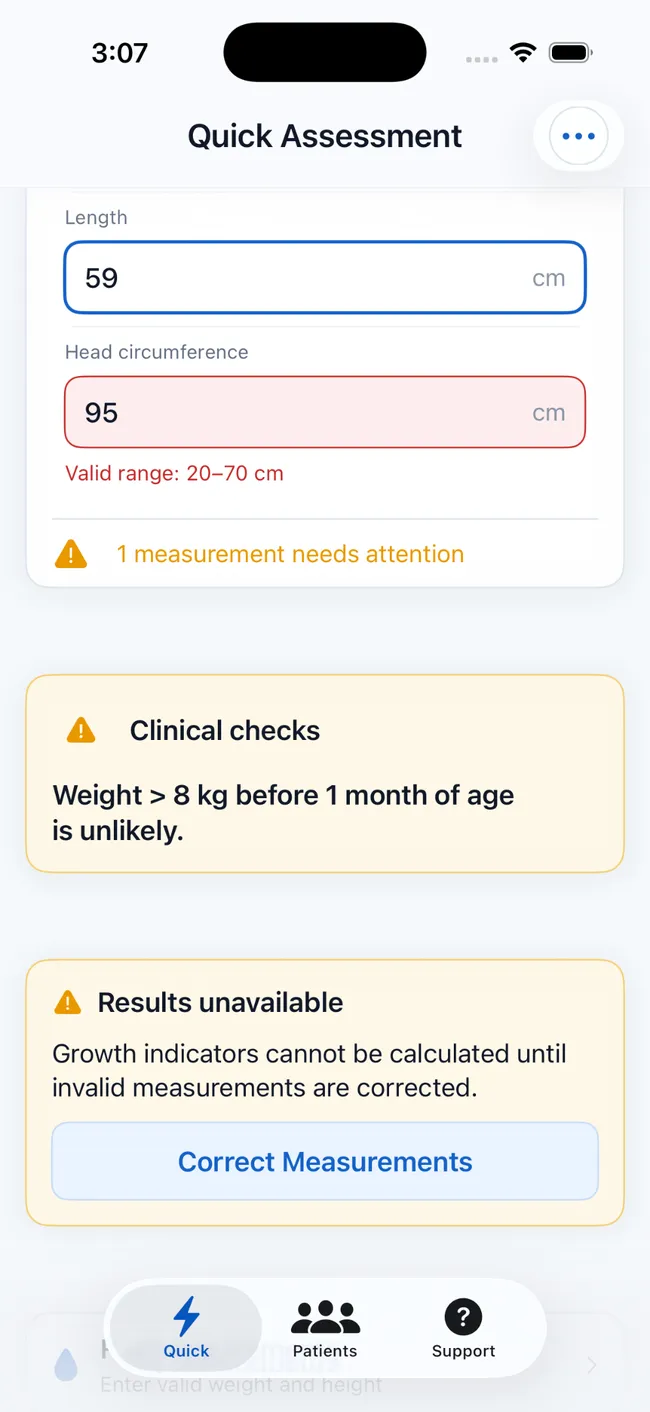
A safer input workflow
A misplaced decimal, the wrong unit, or an implausible measurement can make any calculated output misleading. PediaMetrics surfaces relevant checks and withholds unavailable results until the measurements are corrected.
These checks support review; they do not establish a diagnosis or replace repeat measurement and clinical judgment.
Start assessing pediatric growthCalculator FAQ
Scope, standards, measurement history, and privacy.
It calculates applicable WHO Z-scores, percentiles, and classifications for weight-for-age, height or length-for-age, weight-for-length or height, BMI-for-age, and head-circumference-for-age.
The app includes age-based checks that can flag unlikely values or possible unit-entry mistakes for review.
Yes. Save patient profiles and measurement histories locally, then review eligible measurements on interactive growth charts.
No. PediaMetrics is a support tool. Results must be interpreted in context and do not replace professional medical judgment, diagnosis, or treatment decisions.
Patient profiles and measurement history are stored locally on the user's device. No account is required.
From calculation to follow-up
Calculate, validate, chart, save, and report within one focused pediatric growth workflow.